
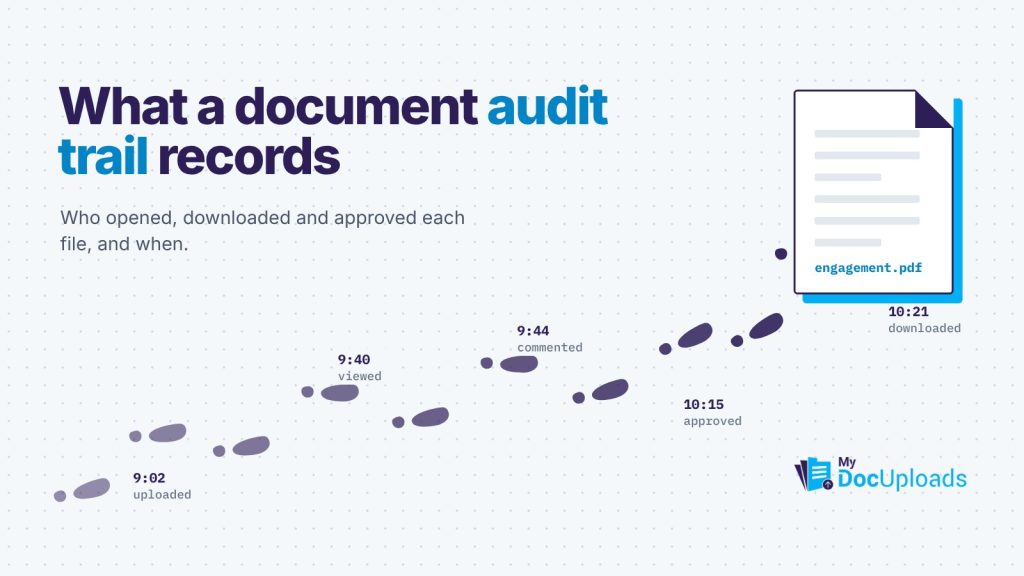
A document audit trail is a time-stamped record of what happened to a file: who uploaded it, who viewed or shared it, who commented on or approved it, and who signed it. It matters because when a client says “I never got that version” or a regulator asks who accessed a record, you can answer from the record itself instead of rebuilding the story from inboxes and memory.
For firms that handle client files, it’s the difference between “I think we sent it” and “it was opened on the 14th at 3:12pm.”
What a document audit trail records
A useful audit trail answers five questions about every important event: what happened, to which file, who did it, when, and ideally from where. Here’s what to expect it to capture.
| Event | Why you’d want it recorded |
|---|---|
| Upload | Proves when a document arrived and who sent it |
| View | Shows a client or colleague actually opened it |
| Share or permission change | Shows who was given access, and when it was removed |
| Download | Shows when a copy left the system |
| Comment and approval | Shows what was discussed and what was agreed |
| Signature | Shows who signed, when, and from what device |
| Credential or secret opened | Shows a one-time password was received |
| Deletion | Shows what was removed and by whom |
Why it matters in practice
Disputes get shorter
Picture an engagement letter dispute. The client says they never agreed to the revised fee. With an audit trail, you can show that the revised version was uploaded on Monday, the client opened it Tuesday, asked one question in the file’s conversation, and the file was marked approved on Wednesday. That ends most disagreements in one email.
Handoffs stop depending on one person
When a staff member leaves or a matter changes hands, the next person can see what was sent, what came back and what’s still open, without asking anyone.
Regulators expect it
Several rules call for this kind of record. The HIPAA Security Rule’s technical safeguards, at 45 CFR 164.312(b), require audit controls that record and examine activity in systems containing electronic protected health information. The FTC Safeguards Rule, at 16 CFR 314.4(c)(8), requires covered financial institutions, which include tax preparers, to monitor and log the activity of authorized users and detect unauthorized access or tampering.
An audit trail in your document tool doesn’t satisfy those rules by itself, but it’s hard to meet them without one.
What an audit trail won’t do
It’s worth being clear about the limits:
- It records, it doesn’t prevent. Permissions and expiry stop the wrong access. The audit trail tells you what happened.
- It only covers what happens inside the system. If a file is downloaded and then forwarded by email, the forward isn’t recorded. That’s a good reason to share by link and allow downloads only when needed.
- Nobody reads it by default. A log you never review won’t catch anything. Build a habit around it.
How MyDocUploads records activity
MyDocUploads records activity where the work happens, and each module adds its own detail:
- Files and sharing. Uploads, shares and access sit with each file in MyDocUploads Core, so the record stays with the client’s workspace rather than one person’s inbox.
- Conversations and approvals. In MyDocUploads Conversations, approval decisions are recorded in workspace activity. Marking a file approved locks its thread to read-only, and if someone later requests changes, both decisions are kept.
- Signatures. Sign records the signing time, device and location for each signer.
- Secure Drops. Each one logs when it was sent, viewed, by whom and from where, and you get a notification when it’s opened.
- Sessions. The security page covers reviewing active sessions, revoking access and retaining security events.
The full workspace audit log, with export (PDF and CSV), is on Business and higher plans. The pricing page lists which plans include it.
A monthly audit trail review in 15 minutes
You don’t need a compliance department to get value from the record. Once a month, someone senior can:
- Check who has access to each active client workspace. Remove anyone who no longer needs it.
- Look at who has viewed sensitive files. Was each view expected?
- Confirm closed matters are closed. No external access left open on finished work.
- Scan for unusual sessions. Unfamiliar devices on staff accounts deserve a question.
- Spot-check one approval. Pick a recent agreement and confirm the record shows the version, the approval and the signature in order.
Write down what you checked and what you changed. That note is itself a useful record.
The short version
A document audit trail turns “we think” into “we know.” It shortens disputes, makes handoffs painless and supports the logging that HIPAA and the FTC Safeguards Rule expect. Choose a tool that records it on every file, then make a habit of reading it.
To see the record build up on your own files, you can start a 14-day trial of MyDocUploads.
This article is general information, not legal, tax or professional advice for your specific situation.
Frequently asked questions
What is a document audit trail?
A time-stamped record of events on a file: uploads, views, shares, downloads, comments, approvals, signatures and deletions, along with who did each one and when.
Does HIPAA require an audit trail?
The HIPAA Security Rule at 45 CFR 164.312(b) requires audit controls that record and examine activity in systems containing electronic protected health information. A document tool’s audit trail supports that but doesn’t meet the rule on its own.
Does an audit trail record what happens after a file is downloaded?
No. Once a copy leaves the system, actions like forwarding it by email aren’t recorded. Sharing by link with browser viewing, and allowing downloads only when needed, keeps more activity on the record.
Can I export the audit log from MyDocUploads?
Yes, the workspace audit log can be exported as PDF and CSV on Business and higher plans. On every plan, Sign keeps a signing record, Secure Drop logs each open, and approval decisions are recorded in workspace activity.