
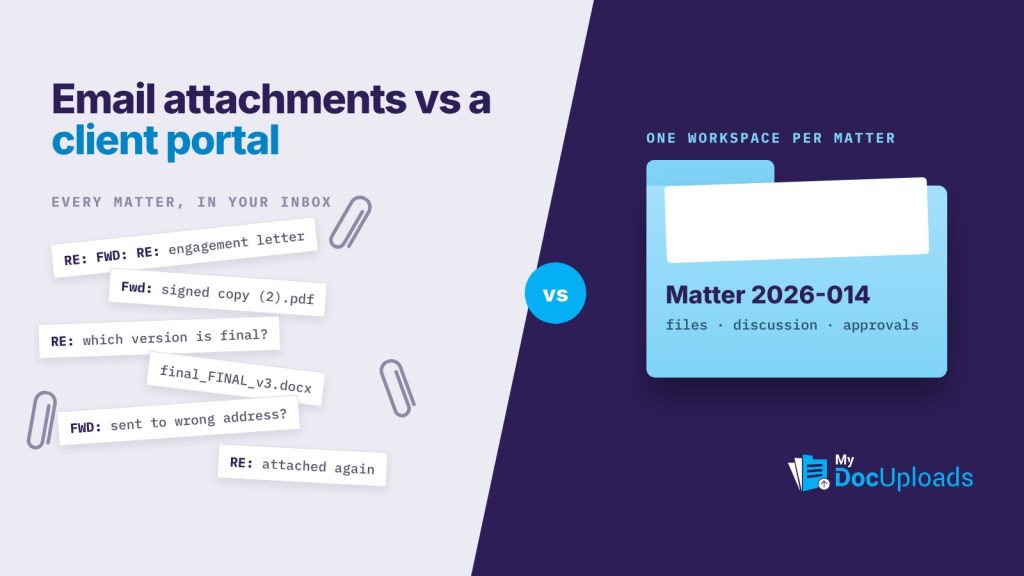
For confidential client documents, a client portal for law firms is the better choice than email attachments. Email is fine for scheduling and short updates, but a portal keeps the file, the discussion about it and the record of who saw it in one place you control, and it lets you take access away when the matter ends.
That doesn’t mean every message needs to move. It means the documents, and the decisions about them, should live somewhere better than a client’s personal inbox.
What the ethics rules actually ask
The ABA Model Rules don’t name a technology. Model Rule 1.6(c) asks lawyers to make reasonable efforts to prevent the inadvertent or unauthorized disclosure of, or unauthorized access to, information relating to the representation of a client. ABA Formal Opinion 477R applies that to electronic communication: lawyers may generally use the internet to communicate with clients, but they need to weigh the sensitivity of the information, and some matters call for stronger precautions than ordinary email.
Your state’s version of the rules, and its ethics opinions, are what bind you. The practical reading most firms take is simple: the more sensitive the document, the less it belongs in an attachment.
Client portal vs email attachments, side by side
| Question | Email attachment | Client portal |
|---|---|---|
| Where does the file end up? | Every inbox, phone and backup it touches | One workspace for the matter |
| Can you take access back? | No, once sent it’s out | Yes, change or remove access |
| Which version is current? | Whichever attachment is newest, hopefully | The file in the workspace, with version history |
| Where is the discussion? | Spread across reply chains | Attached to the document |
| Who opened it? | Unknown | Recorded in the file’s activity |
| Large files? | Often bounced by size limits | Uploaded once, viewed in the browser |
When email is still fine
A portal isn’t a rule that every word must move. Email works for:
- Scheduling and logistics (“Can we move Thursday’s call to 2pm?”)
- Short status updates that reveal nothing sensitive
- Telling a client that a document is waiting for them in the portal
The pattern that works for most firms: email says “it’s ready,” the portal holds the thing itself.
What to look for in a client portal for a law firm
Not every portal fits how firms actually work. Use this checklist when you evaluate one:
- No account to view. Clients shouldn’t have to create a login just to read a draft. If viewing requires an account, some clients will ask you to “just email it.”
- One workspace per client or matter. Documents for the Henderson estate should never sit beside a different client’s lease review.
- Permissions you can change. Share a single file or a folder, decide whether download is allowed, and remove access when the matter closes.
- The discussion on the document. Questions about section 4 belong next to section 4, not in a separate thread.
- A clear decision point. When the client agrees to the terms, that agreement should be recorded.
- Signing in the same place. The final version should go for e-signature without being downloaded, renamed and re-attached.
- A record you can show. Who uploaded, who viewed, who approved, and when.
- A safe channel for credentials. Clients sometimes need to send a login or account number. That shouldn’t travel by email or sit in a document.
How this looks in MyDocUploads
MyDocUploads is a secure document workflow built for exactly this split. You create a workspace per client or matter, share the files the client needs and keep your internal folders private. Clients view files in the browser with no download and no account. Files are encrypted in transit and at rest with 256-bit AES, every upload is scanned for malware, and uploads, versions and access events stay together in the workspace. The Core page covers workspaces and sharing in more detail.
Each file also gets its own conversation. In MyDocUploads Conversations, a client can ask about the payment terms on the agreement itself, you can reply with the revised version, and when everyone agrees you mark it approved. That locks the thread so the record of what was agreed can’t be edited later. One practical note: viewing a shared file needs no account, but posting a comment requires the client to sign in, and you choose whether conversations are turned on for each share.
From there, the approved PDF goes straight to MyDocUploads Sign for e-signature, and the completed copy lands back in the same workspace.
Moving a matter off email: a simple plan
You don’t have to convert the whole firm in a week. Try it on one matter type first:
- Pick a matter type with lots of documents, such as estate planning, real estate closings or business formations.
- Create the workspace at engagement, not halfway through, so the first document a client receives is already in the portal.
- Tell the client once, clearly. “We’ll send documents through a secure link instead of email attachments. You won’t need an account to view them.”
- Send the link by email, the document by the portal. Clients still get a familiar notification.
- Close the workspace when the matter ends. Remove external access and keep the record. Files shouldn’t linger with access open long after the work is done.
The bottom line
Email attachments are convenient right up until you need to know which version a client approved, or need to take a document back. A client portal gives the firm a single, controllable place for the file and the decision about it, while email does what it’s good at: telling people something is ready.
If you’d like to try this on a live matter, you can start a 14-day trial of MyDocUploads.
This article is general information, not legal, tax or professional advice for your specific situation.
Frequently asked questions
Do ABA rules forbid emailing client documents?
No. ABA Model Rule 1.6(c) asks for reasonable efforts to prevent unauthorized disclosure, and Formal Opinion 477R says lawyers may generally use the internet with clients but should weigh how sensitive the information is. Highly sensitive matters may call for stronger precautions than ordinary email. Check your own state’s rules and ethics opinions.
Will clients need to create an account to use the portal?
Not to view files. In MyDocUploads, clients open a secure link and view in the browser with no account. Posting a comment in a file conversation does require the client to sign in.
Can we still email clients?
Yes. Many firms use email to say a document is ready and the portal to hold the document itself. Scheduling and non-sensitive updates can stay in email.
What happens to client access when a matter closes?
You remove external access to the workspace. The files and the record of who viewed and approved what stay with the firm.